Prometheus Alertmanager groups, deduplicates, and routes the alerts that Prometheus rules fire, but it has no concept of whether anyone is awake to read them. The webhook receiver is the handoff point, and everything after it (who gets paged, in what order, and whether the alert was acknowledged) belongs to a separate system. Teams that point Alertmanager at a shared chat channel often find this gap during their first unanswered overnight alert. This guide walks through connecting a Prometheus Alertmanager deployment to an on-call paging workflow in Acked: creating the ingest connection, writing the receiver and routing tree, mapping alert fields, and testing the path before you depend on it.
Quick Takeaways
Key Insight | Explanation |
|---|---|
Alertmanager is the alerting layer, not the paging layer | It groups, deduplicates, inhibits, and routes firing alerts. It does not track acknowledgement or escalate to a second responder. |
Treat the ingest URL as a credential | The Acked ingest URL carries its secret in the path (ik_<id>_<secret>). Restrict read access to the file that contains it. |
Set send_resolved: true on the Acked receiver | Without it, resolved alerts never reach Acked, so the alert stays open in the response history. |
Fingerprint drives deduplication and resolve | Acked uses the Alertmanager fingerprint as the stable event key. Alerts without a fingerprint get a deterministic key derived from their labels. |
Configure the fallback service before adding label rules | Alerts that match no ordered routing rule go to the fallback service, so an unmatched alert still reaches a schedule. |
Validate with a firing and a resolved test alert | A malformed configuration is not applied and an error is logged, so confirm the reload took effect before trusting the path. |
How Alertmanager Fits Between Prometheus and a Pager
Prometheus handles monitoring: it scrapes metrics and evaluates alerting rules. When a rule's expression holds for its configured duration, Prometheus sends the alert to Alertmanager, which handles alerting in the narrower sense of deduplication, grouping, silencing, inhibition, and routing to receivers. Paging is a different responsibility. It means delivering the alert to a named person through a channel they will act on, and escalation means moving to the next responder when nobody acknowledges.

Incident management sits above all of these. It covers coordinating the response and communicating status while the incident is open. Alertmanager does none of the paging, escalation, or acknowledgement tracking, so those duties need a receiver downstream.
What Alertmanager does not track
Alertmanager records no per-responder state. It does not know whether a webhook delivery reached a phone, whether someone is on shift, or whether a second person should be notified after a wait. Repeat behavior is governed by repeat_interval, which re-sends a firing alert on a timer regardless of whether a human has taken ownership.
A public endpoint check running outside your Prometheus cluster covers a failure mode that Prometheus cannot report about itself. Acked HTTP monitors check public endpoints every minute on every plan, which gives you an external signal alongside the rule-based alerts.
An alert that reaches a channel nobody is assigned to has been delivered, but it has not been paged.
Create the Acked Alertmanager Connection
The Acked side of the integration starts with a vendor connection. In the Acked app, open Integrations, then Sources, then Add vendor connection, and choose Prometheus Alertmanager. The connection is the single entry point for every alert your Alertmanager sends, so it needs a fallback service before you do anything else.
Choosing the fallback service
Select a fallback service during setup. Each service selects one on-call schedule, so the fallback determines which schedule receives any alert that matches no routing rule. Choose the schedule that owns the broadest unowned surface, typically the platform or infrastructure rotation, and not a narrow application team. Review unmatched alerts in the response history for a few weeks and move their labels into explicit rules.
Writing ordered routing rules over labels
When one connection serves several services, add routing rules over Alertmanager labels. Rules are evaluated in order, so a broad early rule shadows narrower rules below it. Acked evaluates routing for each item in a batch, which means alerts from a single Alertmanager notification can reach different services. Save the connection, then copy the ingest URL.
Pro tip: Order rules from most specific to least specific, and keep the fallback as the only catch-all. If a team's alerts stop arriving after a label change, check whether an earlier broad rule is matching first.
Direct sources target one service, while a central vendor connection routes across services and uses the fallback when no rule matches. For a single Alertmanager serving several teams, the central connection is the right model. Setup details are in the Prometheus Alertmanager webhook integration guide and the Acked documentation.
Configure the Alertmanager Receiver and Routing
Alertmanager needs a receiver that posts to the Acked ingest URL, and a route that sends the alerts you want paged to that receiver. The configuration below uses the placeholder form from the Acked integration page. Replace the placeholder with the full URL you copied, and keep the real value out of version-controlled files where possible.
Receiver definition and send_resolved
receivers:
  - name: acked
    webhook_configs:
      - url: https://api.acked.dev/v1/ingest/ik_<id>_<secret>
        send_resolved: true

route:
  receiver: acked
  group_by: ['alertname', 'service']
  group_wait: 30s
  group_interval: 5m
  repeat_interval: 4h
The send_resolved: true setting is what allows Acked to close an alert automatically when Alertmanager reports it resolved. Omit it and the alert remains open against the responder long after the underlying condition has cleared. Duration values follow the Prometheus format, such as 30s, 5m, or 1h30m.
Routing alerts into the receiver
The example above sends every alert to Acked. In most environments you want only a subset to page. In that case, set the root receiver to a non-paging destination and add child routes with matchers that point to acked. Only alerts that match a child route will page, and the rest remain visible in Alertmanager.
Reloading without losing the current configuration
Alertmanager reloads at runtime by receiving a SIGHUP signal or an HTTP POST to the /-/reload endpoint. If the new configuration is not well-formed, the changes are not applied and an error is logged, so the previous configuration keeps running. Reload through your normal deployment process, then check the logs before sending test traffic. Confirm the reload succeeded before assuming the new receiver is active.
How Alerts Map Into Acked
Acked reads each item in the Alertmanager alerts array, and each firing alert becomes its own Acked alert. The mapping determines what the responder sees on the phone and whether the alert deduplicates or resolves correctly. Knowing the mapping lets you fix problems in the source rule rather than in the paging layer.
The fingerprint becomes the stable event key used for deduplication and resolve.
annotations.summary becomes the title. If it is absent, labels.alertname is used.
annotations.description becomes the body.
labels.severity becomes the Acked priority.
Each string label becomes an available routing attribute.
A per-alert status of resolved triggers a resolve action.
Fields that drive title, body, and priority
Write annotations.summary as a short, specific sentence that names the affected component and the threshold, since it becomes the title a responder reads on a locked phone. Keep annotations.description for the diagnostic detail and the runbook link. Put anything you want to route on into labels, because only labels become routing attributes.
Pro tip: Unknown severity values stay paging-high rather than being silently downgraded. A typo such as "critcal" will therefore page at high priority, which is safer than missing a page, but it will also make a misconfigured rule noisy. Standardize severity values across rules and audit them when you add new ones.
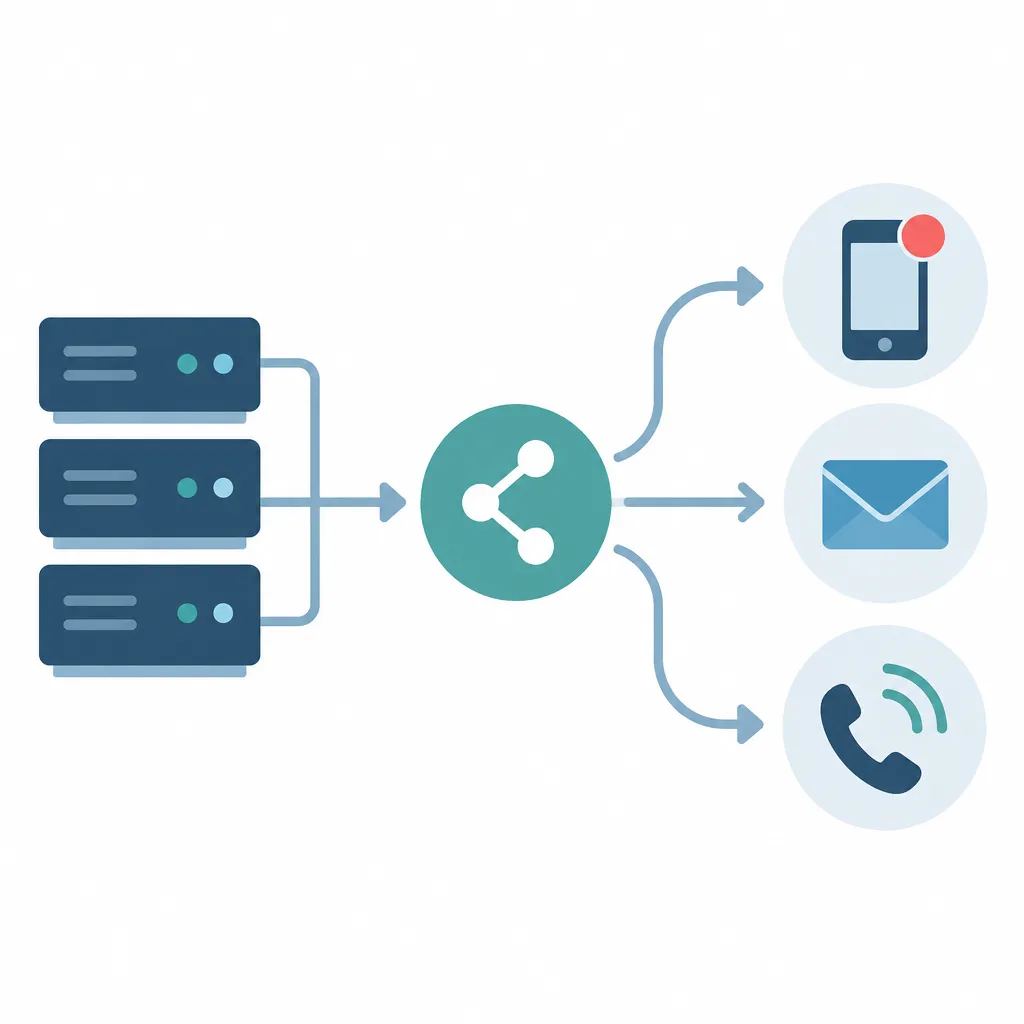
Fingerprint, deduplication, and resolve
Alertmanager assigns a fingerprint derived from an alert's label set, which makes it stable across repeat notifications for the same condition. Acked uses that fingerprint as the event key, so repeated posts for an open alert do not create duplicate pages, and a resolved status closes the matching key. If an alert arrives without a fingerprint, Acked derives a deterministic key from its labels, which keeps the behavior consistent but depends on those labels staying stable.
Be cautious about labels that change on every evaluation, such as ones built from timestamps or per-request identifiers. They produce a new label set and therefore a new key, which breaks deduplication and leaves earlier alerts unresolved.
Routing Patterns for Multiple Services
Most teams end up choosing between a single central connection with label rules and one service per source. The trade-off is between centralized control of the routing table and local ownership of each rule. The right choice depends on how often labels change and how many teams need to edit routing without touching the Alertmanager configuration.
Ordered label rules on a central connection
A central connection keeps all routing in one ordered list. This is simple to audit, and the fallback guarantees that no alert is dropped for lack of a matching rule. The cost is that rule order becomes a shared dependency, so a change by one team can reroute another team's alerts. Keep a short comment or ticket reference for each rule so the reason for its position is recorded.
Direct sources for single-service monitoring
A direct source targets one service. It suits a team that owns its monitoring end to end and does not need cross-service routing. It removes the rule-order dependency entirely, but it also means cross-cutting alerts, such as a shared database, must be duplicated or routed upstream in Alertmanager.
Approach | How it works | Trade-off |
|---|---|---|
Central connection with ordered label rules | One Alertmanager receiver posts to one ingest URL. Ordered rules over labels select the service, and the fallback service receives unmatched alerts. | Single place to audit routing. Rule order is shared, so broad early rules can shadow narrower ones. |
Direct source targeting one service | Signals go to one service, which selects one on-call schedule. No cross-service rules are involved. | No rule-order risk for that team. Cross-service alerts must be handled upstream or duplicated. |
Alertmanager route tree with a single fallback only | Alertmanager does all team splitting, and everything arrives at one fallback service in Acked. | Minimal Acked configuration. Every alert lands on one schedule, so this suits small teams only. |
Testing and Operating the Paging Path
Test the path with a real firing alert and a real resolve before you rely on it. A reliable method is a temporary alerting rule whose expression always returns a result, such as vector(1), with a route that matches only that rule. Once the page arrives, let the rule stop firing or remove it, and confirm the resolve reaches Acked. Remove the test rule afterward so it does not page at the next reload.
Confirming the response history
After the test, open the response history for the alert. It shows who was paged, who acknowledged, and when the alert was resolved. If the resolve is missing, check send_resolved first, then check that the fingerprint is consistent across evaluations. Acked also keeps delivery attempts, so you can confirm the channel used for each notification.
Escalation, repeats, and alert storms
Escalation levels, waits, and repeat limits in Acked page the next responder when an alert is not acknowledged. If every level is exhausted, the alert is marked unreachable and remains open for manual handling. Set Alertmanager's repeat_interval long enough that Acked's escalation chain, not repeated webhook posts, drives re-paging. Ingest rate limits and alert-storm protections apply on every plan, so a misconfigured rule that fires for hundreds of series should be fixed in Prometheus rather than absorbed by the receiver.
Pro tip: Run the test with the production receiver, not a staging copy. Staging receivers often differ in routing, so a successful staging test does not prove the production route matches your rules.

Status pages are in pilot and provide one page on every plan during the pilot, which lets stakeholders follow incident updates without joining the response channel. Custom domain setup has a separate rollout. Use the alert management documentation for acknowledgement, resolution, snoozing, and escalation steps.
Frequently Asked Questions
Do I need to replace Alertmanager to page on-call engineers?
No. Alertmanager continues to handle deduplication, grouping, and routing. The paging workflow receives its webhook output and adds schedules, escalation, acknowledgement, and response history.
Why do resolved alerts stay open in Acked?
The most common cause is a receiver without send_resolved: true. Also confirm that the fingerprint is stable across evaluations, since a changing label set produces a new event key that never resolves.
Does Acked send SMS notifications for Alertmanager alerts?
Acked does not provide SMS paging. Push on iOS and Android, email, and outbound webhooks are available on every plan. Voice paging is available on Team and Business.
Which plan includes voice paging for Alertmanager alerts?
Voice paging is available on Team and Business only. The Team plan is $49/month or $490/year, and it includes unlimited schedules and 100 HTTP monitors. Voice calls are billed separately based on destination and duration.
What happens to alerts that match no routing rule?
The fallback service receives them. Choose the fallback deliberately, because it determines which schedule responds to any alert whose labels do not match an explicit rule.
What happens if I push a malformed Alertmanager configuration?
Alertmanager does not apply a configuration that is not well-formed, and it logs an error. The previous configuration keeps running, so check the logs after every reload.
Put your on-call alerting into practice
Acked connects your existing monitoring tools to on-call schedules, notifications, and escalation policies. Keep the monitoring stack you already use while ensuring critical alerts reach the right engineer.
Get started with Acked. Simple setup, flat organization pricing, and no per-seat fees.
Tell us which routing, deduplication, or resolve problems you have hit when connecting Alertmanager to an on-call paging workflow, and how you resolved them.