From your first app to your on-call team
You build it.
We monitor it.
Monitor your websites, APIs, and scheduled jobs. When something fails, Acked alerts the right person.
Start free · 1 HTTP monitor · Unlimited users
After the launch
Keep an eye on what you ship
Check the parts your users depend on. Bring failures into one place, with a clear path from the first alert to recovery.
Your website goes down
Acked checks a public URL on a regular schedule. Connection errors and timeouts count as failed checks.
Your API returns errors
Choose which response codes mean success. Acked opens an alert after the number of failed checks you select.
A scheduled job goes quiet
Send a heartbeat after each successful run. Acked opens an alert if the next heartbeat misses its deadline.
How it works
A check, an alert, and a way to respond
- Check
Add your app’s URL
Create a service for your app, then add an HTTP monitor. Choose the response codes that mean success and how many failed checks should open an alert.
- Notify
Choose where alerts go
Set yourself as the service’s responder. Use email or install Acked on iOS or Android for push notifications. Test your notification setup.
- Respond
See what needs attention
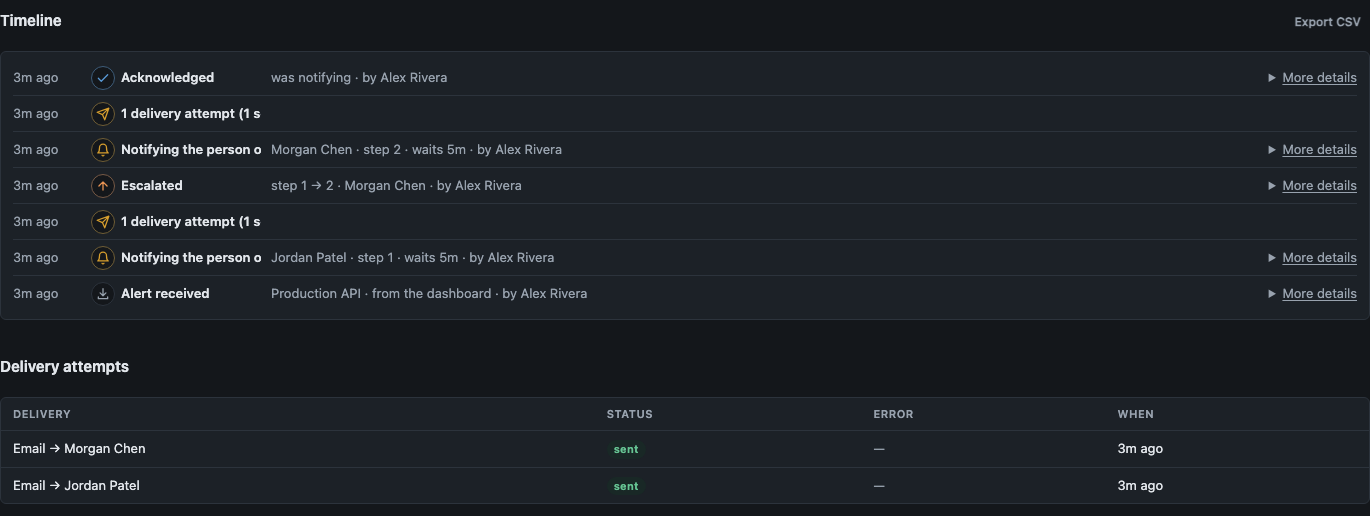
Open the alert and acknowledge it when you start work. After enough checks pass again, Acked resolves the monitor’s incident.
Choose 1 to 5 failed checks before an alert and 1 to 5 successful checks for recovery. Read the HTTP monitor setup guide.
For the work behind the website
Keep track of jobs that run on a schedule
A backup or daily report can stop running while your website still loads. A heartbeat is a small request your job sends to say it succeeded.
Send a signal after a successful run
Create a heartbeat monitor and save its secret URL. Call it at the end of your job, after the work succeeds.
curl --fail --retry 3 "$ACKED_HEARTBEAT_URL"Get an alert when the signal is late
Choose an expected interval from one minute to 24 hours. Add a grace period to allow for normal delays.
Monitoring starts with the first heartbeat. A missed deadline opens an alert. The next heartbeat requests recovery at the next minute check.
Set up a heartbeat monitorFour plans. No seat math
Start on Free. Upgrade when you need more.
Free
Try Acked with one schedule
- 1 schedule
- 14-day history
- All standard integrations
- Unlimited users and alerts
- 1 HTTP monitor
- 1 heartbeat monitor
Starter
For a few on-call rotations
- 3 schedules
- 90-day history
- Everything in Free
- Unlimited users and alerts
- 10 HTTP monitors
- 10 heartbeat monitors
Team
Unlimited schedules, plus voice and support
- Unlimited schedules
- 1-year history
- Voice paging*
- Email support
- Everything in Starter
- 100 HTTP monitors
- 100 heartbeat monitors
Business
Contracts, purchasing, and custom retention
- Everything in Team
- Custom retention
- Procurement and contracts
* Voice calls are billed separately based on destination and duration. Users and alerts are not metered for billing. Ingest rate limits and alert-storm protections apply. HTTP monitor setup. Heartbeat monitor creation is rolling out. See periods and availability.
A few things to know
Do I need to know about monitoring first?
Monitoring means checking that something still works. Start with a public page or API URL and choose where its alerts go. The setup guide explains services, responders, and notifications.
Will this catch every bug in my app?
An HTTP monitor checks whether a URL responds with an expected status code. It detects response errors, connection failures, and timeouts. It does not click through your app or verify actions such as completing a checkout. A page can return a successful code while a feature is broken.
How quickly will I hear about a failure?
HTTP checks are scheduled at one-minute intervals. Actual timing can vary. You choose how many consecutive failures open an alert. Heartbeat monitors use your expected interval and grace period, with missed deadlines checked once a minute. Notification timing also depends on your service’s settings.
Can I use this with monitoring I already have?
Yes. Connect supported tools such as Datadog, Grafana, and Prometheus Alertmanager. Their alerts can use the same responders and notifications. See the available integrations.
What happens when someone else helps with the app?
Add them to Acked and set who should receive alerts. You can create a rotation and choose a backup for unanswered alerts. Every plan includes unlimited users. Plan limits apply to monitors and schedules.
Build your next thing. Keep this one covered
Start with one URL and a way to reach you.
Start monitoring